encrypted notes for Obsidian — for an era when everything else reads your files.
Your Obsidian vault is plaintext markdown. So is the input to every desktop AI assistant, sync provider, and disk-indexing agent on your machine. Halfday Rune encrypts notes with age, opens them inline in Obsidian, and never writes the cleartext back to disk.
Available now in Obsidian's Community Plugins — search "Halfday Rune" in Browse, or install manually below.
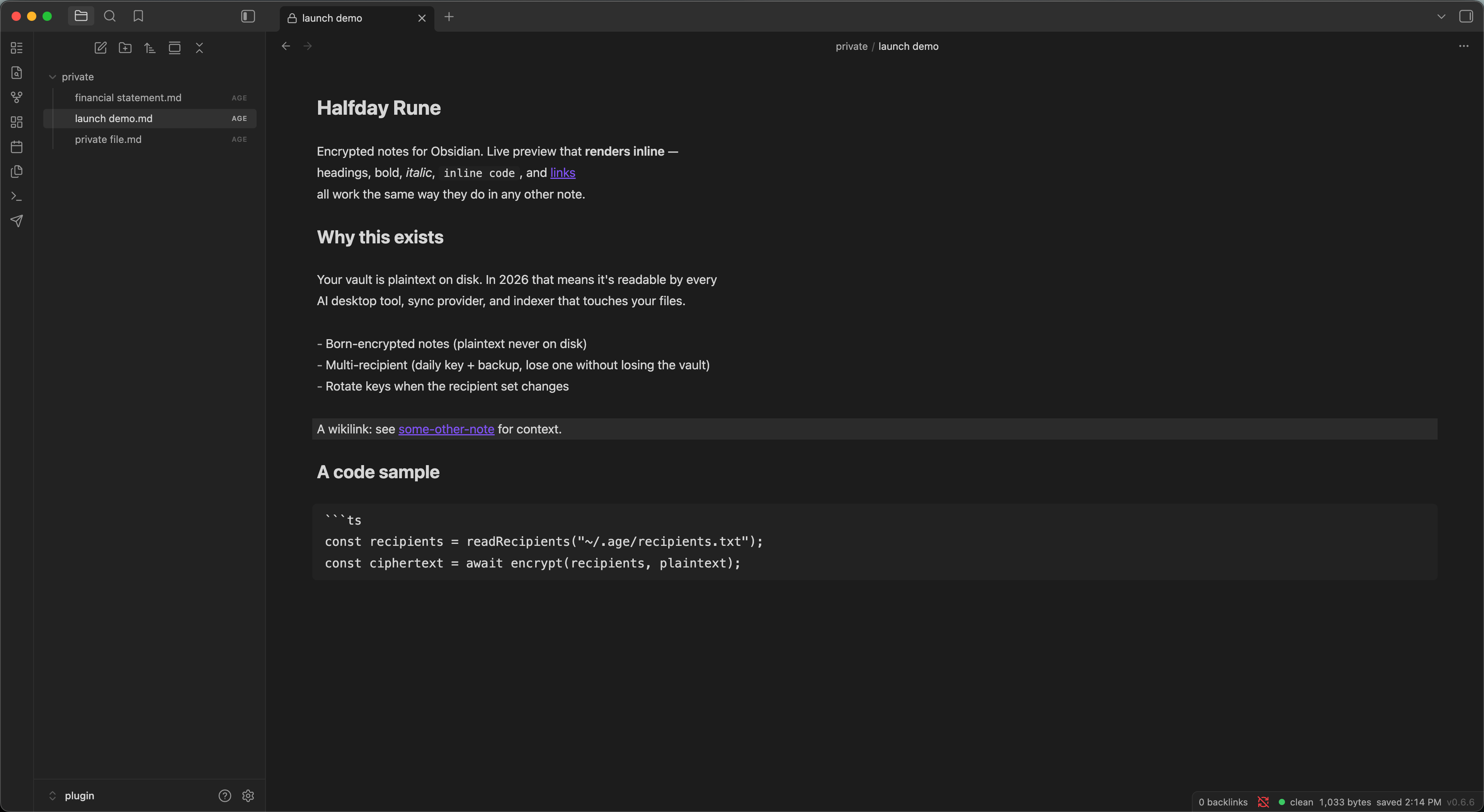
why this exists
A typical knowledge worker now has four to seven background services that can read every plaintext file in their Obsidian vault, and most of them touch an LLM. Claude Desktop with an MCP filesystem server. ChatGPT macOS reading files through the Accessibility API. Cursor indexing your workspace to its servers. GitHub Copilot building a semantic index across whatever folder VS Code happens to have open. Spotlight feeding Apple Intelligence. Dropbox, OneDrive, and friends quietly enabling AI features by default.
Obsidian Sync is end-to-end encrypted between your devices. Your vault on your disk is not. That gap is what Rune closes.
For the full pitch with citations: Using Obsidian Securely in the AI Era.
what it does
born-encrypted notes
New private notes are created as .age ciphertext. Plaintext only ever lives in memory — never a stray .md on disk, never a swap file, never an auto-save.
live-preview markdown
Headings, bold, italic, inline code, links, wikilinks, fenced code, lists — they render the same way they do in any Obsidian note. Move the cursor into a line to edit the raw syntax. It looks like Obsidian because it is Obsidian.
multi-recipient encryption
Encrypt to any number of age recipients — your daily-driver key plus an offline backup, say. Decrypt with any matching identity. No more "I lost the passphrase, I lost the notes."
rotate vault keys
One command re-encrypts every .age file in the vault to your current recipients. Pre-rotation backup copy by default. Round-trip-verified per-file before overwrite.
decrypt back to .md
When you want to leave encryption — or just need a plaintext export — one command converts an .age file back to .md. Replace mode or scratch mode; your choice.
hardened rendering
No DOM injection, no auto-image-load, no transclusion, no script execution. Encrypted notes route through a custom view that never reaches Obsidian's metadata cache, search index, or backlinks graph.
how it works
- 1
Install the plugin and configure your recipients — one
age1...public key per line. Use your existing age identity, or runage-keygento make one in 30 seconds. - 2
Run Halfday Rune: New private note from the command palette. The file is born as
.ageciphertext. No plaintext stage, ever. - 3
Have existing notes? Encrypt current note → .age seals them. The plaintext source is deleted only after the ciphertext round-trip-verifies — if anything fails, your original is preserved.
- 4
Click any
.agefile in the file tree. It opens inline in Obsidian, decrypted to memory only. Save with cmd-S or after 30s of inactivity; close the tab and the plaintext is gone.
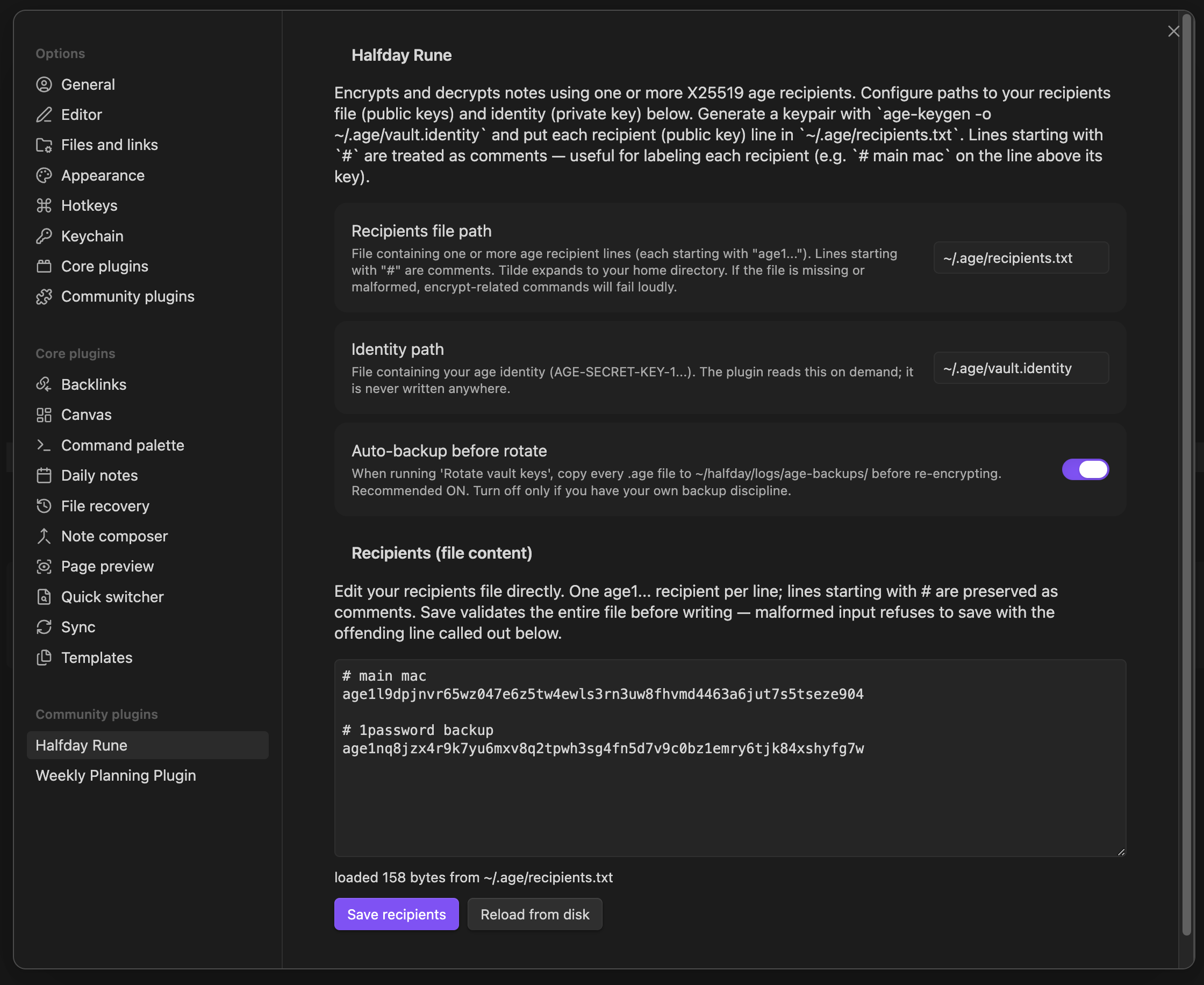
Recipients editor — paste age1 keys, validate inline, save.
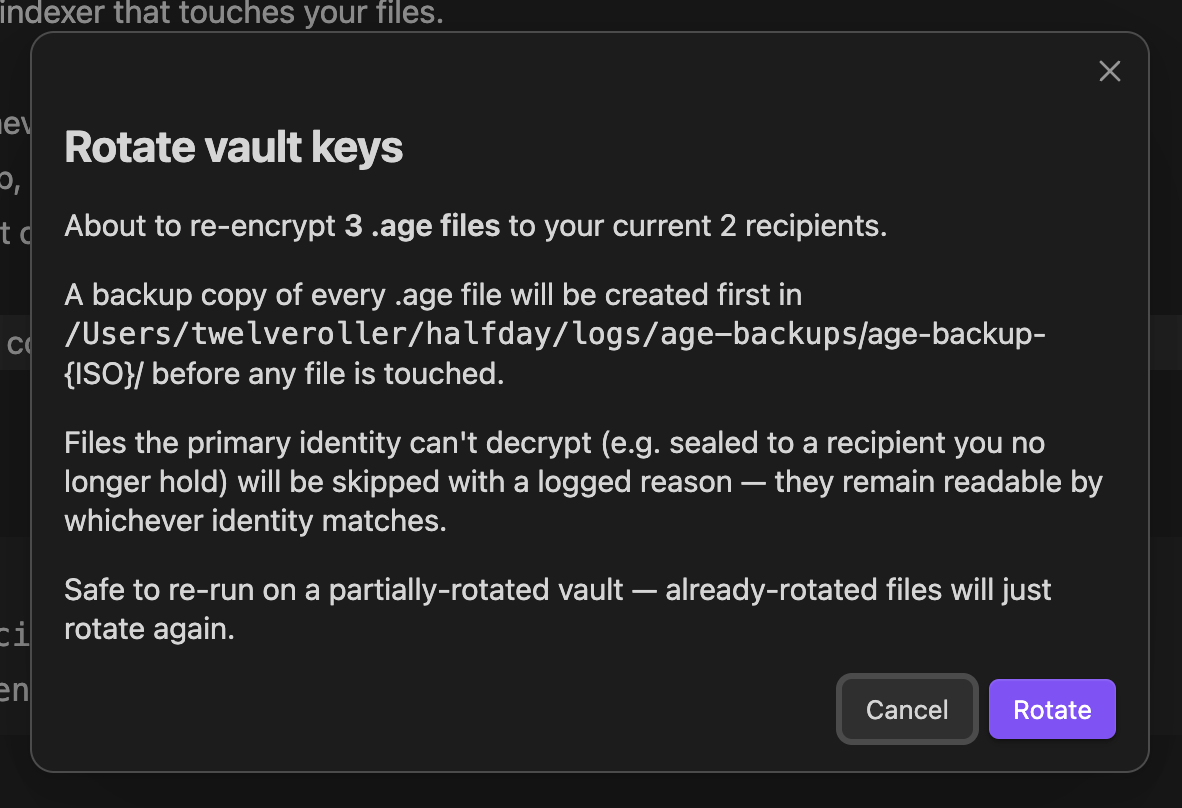
Rotate vault keys — confirm modal with backup option.

Status bar — round-trip verified, no plaintext on disk.
why you can trust it
how it compares
There are other encryption plugins for Obsidian, and a few of them are good. Rune's wedge is being the only one that combines all four of: age + recipients + live preview + key rotation. Pick the one that matches your threat model.
| Capability | Meld Encrypt | Age Encrypt | gpgCrypt | Rune |
|---|---|---|---|---|
| Cryptography | AES-GCM (custom) | age (passphrase) | OpenPGP | age (X25519) |
| Multi-recipient | No | No | Manual | Yes |
| Live-preview encrypted notes | Partial | No (fenced blocks) | Yes | Yes |
| Built-in key rotation | No | No | Manual | Yes |
| Dependency footprint | Plugin only | Plugin only | Needs GPG / smartcard | Plugin only |
| Hardware key support | No | No | Yes (GPG smartcards) | Planned (Secure Enclave, v1.0) |
Honest framing: none of these plugins (Rune included) have a third-party formal audit. Rune leans on typage and the published age spec for crypto correctness. Threat model spells out exactly what that means.
install
Easiest install: open Settings → Community plugins → Browse in Obsidian, search Halfday Rune, and click Install — like any other community plugin. The manual steps below are an alternative if you prefer.
- 1
Download
main.js,manifest.json, andstyles.cssfrom the latest GitHub release. - 2
Drop the three files into
<your-vault>/.obsidian/plugins/halfday-rune/. - 3
Restart Obsidian. Enable the plugin in Settings → Community plugins. (If you've never enabled a community plugin before, you'll need to flip the "Turn on community plugins" switch first.)
- 4
Open Settings → Halfday Rune, paste your
age1...public keys into the Recipients field, save.
Don't have an age keypair yet? One line of shell:
mkdir -p ~/.age && chmod 700 ~/.age
age-keygen -o ~/.age/vault.identity
chmod 600 ~/.age/vault.identity
what's next
- → ✓ Shipped — live in the Obsidian Community Plugins catalog. One-click install via Browse.
- → Phase 2 — click-to-navigate wikilinks inside encrypted notes, syntax highlighting in fenced code blocks, mobile build.
- → Long-term — age-plugin-se integration so your identity can be guarded by Secure Enclave / TouchID instead of a file on disk.
support the work
Halfday is a small shop building open-source tools for AI-era privacy. Rune is free and always will be. If Rune is part of how you sleep at night, buying us a coffee is the thank-you path.
read & follow
- Using Obsidian Securely in the AI Era — the long-form pitch, with citations.
- Building Halfday Rune With AI — methodology, parallel-subagent review loop, the bugs we hit.
- GitHub: halfday-rune — source, releases, issues.
- halfday.dev — other tools we've built.
- hello@halfday.dev — security disclosures, questions, hellos.